planetpong.xyz

Building PlanetPong.dev | Personal Website Portfolio

I decided to build PlanetPong.dev as a personal portfolio to showcase the projects I’ve worked on, what I’m learning, my passions, and how my skills are developing over time. I wanted the site to feel more than just a basic webpage — it needed to feel structured, intentional, and uniquely mine.

My goal:

The main goal of this portfolio is to:

  • Show my passions, projects, and ideas
  • Practice programming languages including: Java, python and html + css
  • Design something, sleek, modern and creative

I also wanted the site to be easy navigation, where visitors can quickly understand who I am, what I've made and what I'm looking for in the future.

The Design and Theme:

I chose a space-themed design because it fits the idea of exploration, creativity, and building things from scratch. The dark background, subtle star effects, and glowing accents help give the site a sci-fi feel without being distracting.

I focused on:

  • Clean layouts and carb-based sections
  • Spacings and round elements
  • Smooth subtle animations instead of flashy effects

The goal was for everything to be simple but still smooth and readable

Design and theme

I chose a space-themed design because it represents exploration, creativity, and building things from scratch. The dark background, subtle star effects, and glowing accents help give the site a sci-fi feel without being distracting.

  • Clean, card-based layouts
  • Consistent spacing and rounded elements
  • Subtle animations instead of flashy effects

Site structure

Instead of putting everything on one long page, I built a multi-page website. This makes the site feel more realistic and easier to navigate. The main pages include:

  • Home – an overview of the site and featured content
  • About – information about me and my interests
  • Stuff I’ve Done – a projects page with expandable sections
  • Posts – devlogs and written reflections like this one

Projects page

One of the features I’m most proud of is the expandable project cards. Each project starts with a short summary, and clicking the Details button expands the card to show more information and relevant links.

This keeps the page clean while still allowing space for detailed explanations.

What I learned

  • How to structure a real multi-page website
  • How JavaScript can control interactions like expanding sections
  • Why consistency in layout and spacing matters
  • How to design with the user experience in mind

Next steps

In the future, I want to add screenshots to projects, improve mobile responsiveness, publish more posts, and deploy the site with a custom domain.

Inspiration

The reason I made this portfolio after getting inspired from one of my friends (who is a game developer) Aidan who made a similar dev portfolio.

Click: https://nowaidan.dev

Making a college/school web design for an assignment

As part of a school Digital Technologies assessment, I was tasked with designing and building a website that either raised awareness of, or offered a solution to, an issue within my local community. The aim of the task was not just to create a website, but to think about how digital tools can be used to inform, influence, and support real people.

Task brief:

This assignment had required us to:

  • Create a website that is relatd to a community issue
  • Raise awareness to our local community
  • Design the site where it is easy to understand for the intended audience

My idea:

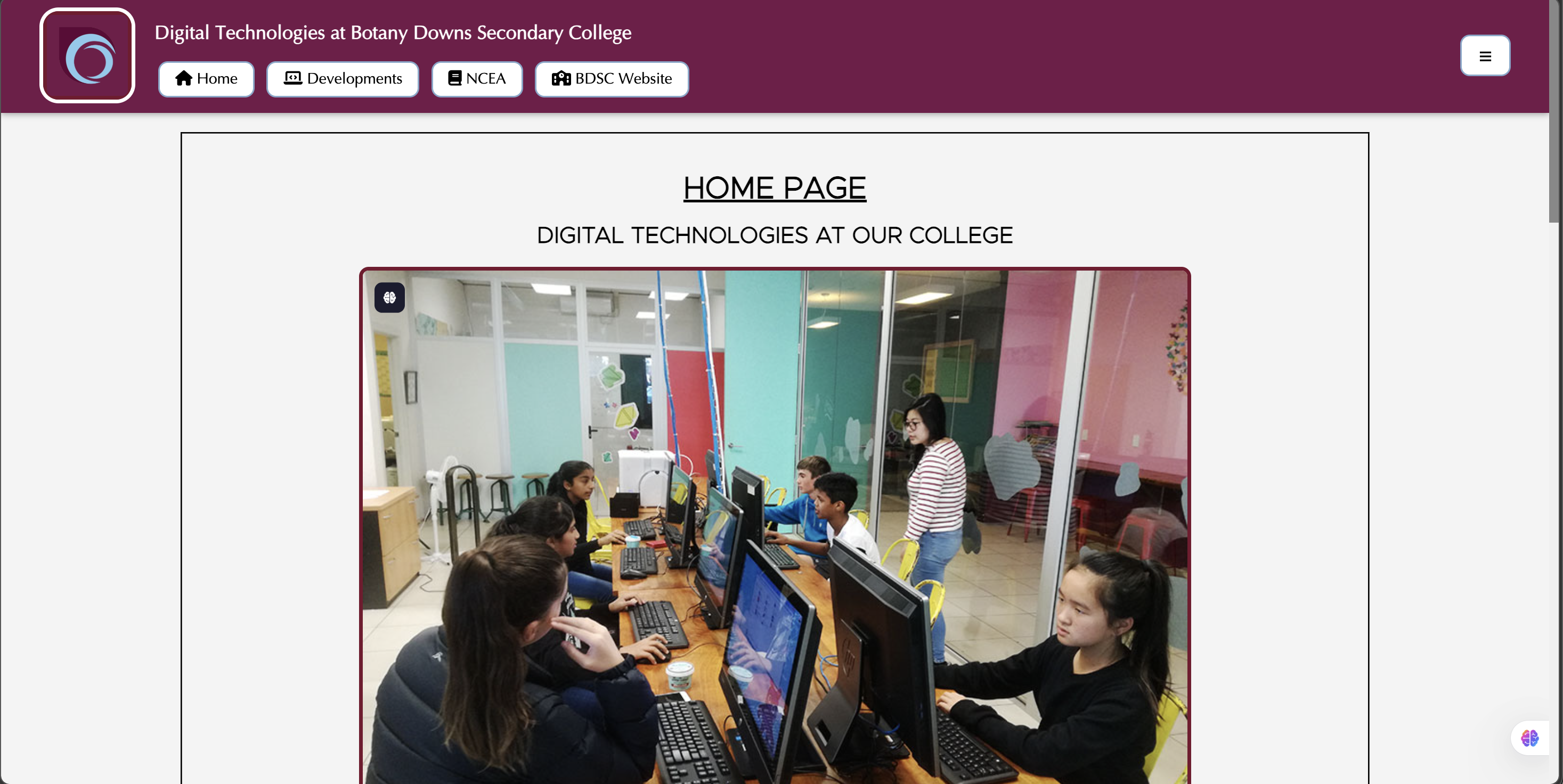
I decided to create a website that focuses on the Digital Technologies course at my college. From my experience, many junior students don’t fully understand what Digital Technologies involves, or how it connects to future study and careers. This can lead to students overlooking the subject before they even give it a chance.

My goal was to create a website that:

  • Introduce what digital technologies is at our college
  • Explains why junior students should partake in the DIT course
  • SHow a clear outline of NCEA level 1, 2 and 3 Digital
View Website

Creating my first python program

At school, we were assigned a task to create a python program that solves a problem or make something fun.

It was reccomended to all students to create a mini text-based quiz, but I decided to make a fun mini text-based escape room

What I did:

  • I needed to brainstorm on how I can make an escame room work on python, so I decided that using text would work
  • Then I needed to think about some of the different themes, difficulty and rooms the user will be in
  • With the coding I programmed commands where if the user were to type it, the game responds with next part.
  • To make it more fun and realistic I added some difficulty stars andscenarios.

If you would like to check out the code / play the game yourself, downloading the following file:

My Escape Room

1. Download the zip file

2. Unzip/extract the file

3. Open the .py file in Visual Studio Code

4. Make sure to have the right extensions installed and run the code

5. Have fun!